Store closing checklist
Closing checks: till reconciliation, cash handling, security, tidiness and cleaning. Completed in the field, with or without signal, recording who closed.
In retail closing is the riskiest moment of the day: it is when all the takings are in the store and when, if something is left badly secured, nobody checks it until the next morning. A till that does not balance and goes unrecorded, an alarm left unarmed, a stockroom door left unlocked: any of these can end in a loss or an overnight break-in.
Closing also determines how the next day starts. If the floor is left untidy and the tills without their float ready, the opening is done in a rush and the errors carry over. A closing checklist forces you to properly secure what is critical — the money, security and order — and records who closed and in what condition, which is exactly what you need when something turns up wrong the next day.
How to use it with CaptaLog
Copy the template to your account and the shift lead completes it at closing from their phone, even with no signal. A till discrepancy or a security fault is recorded as an action, and the whole closing is stored with time, photo and owner so nothing rests on someone’s word.
The checklist, exactly as you download it
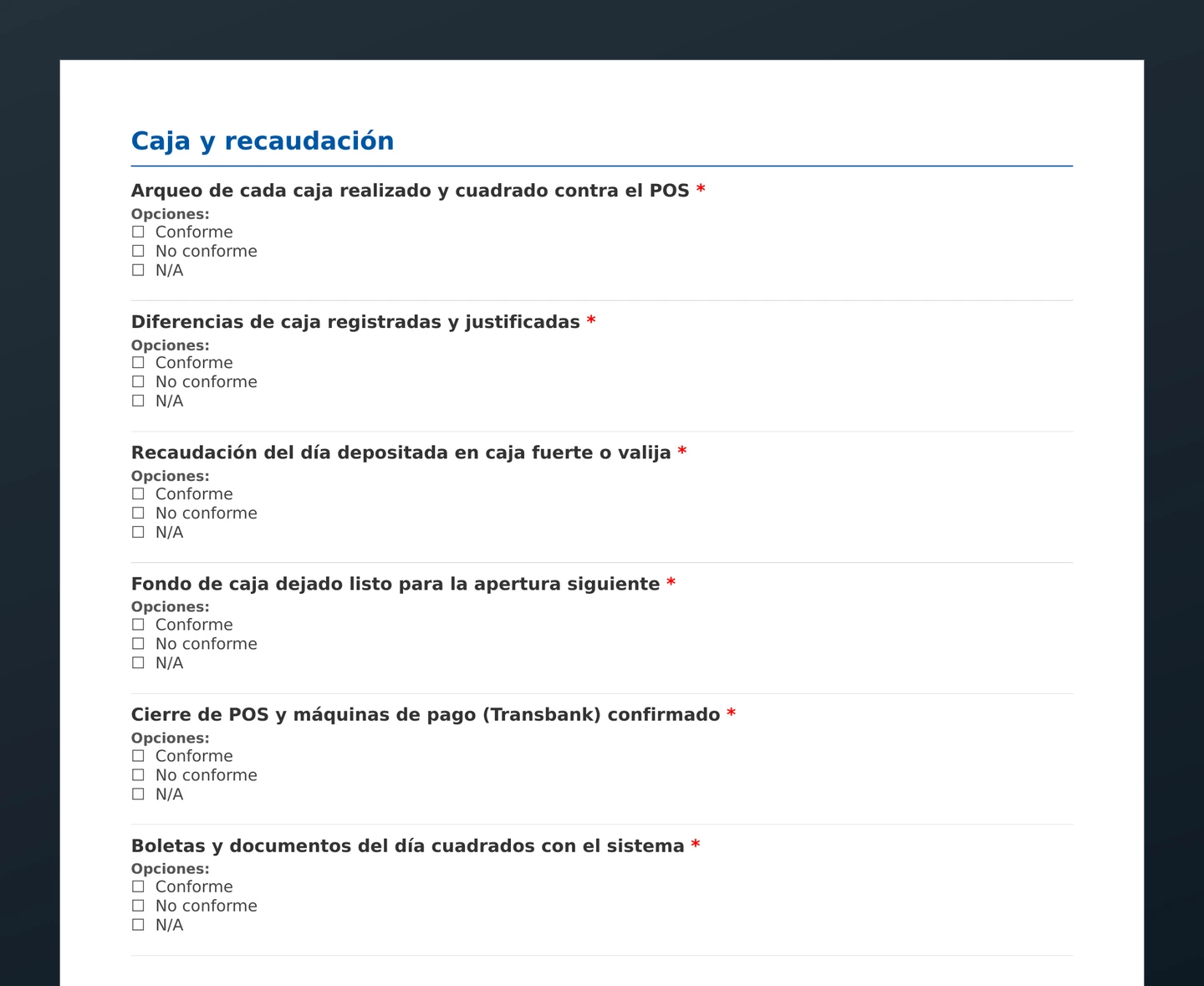
A real section of the free PDF — the template itself is in Spanish. Every item is answered Conforme, No conforme or N/A, on paper or from your phone, with or without signal.
Use this template with your team
Copy it to your account, tailor it to your needs and fill it in the field — with or without signal.